
Download Mach Clock – Customizable Desktop Clock, World‑Time Viewer & Free Time‑Keeping Tool
Overview
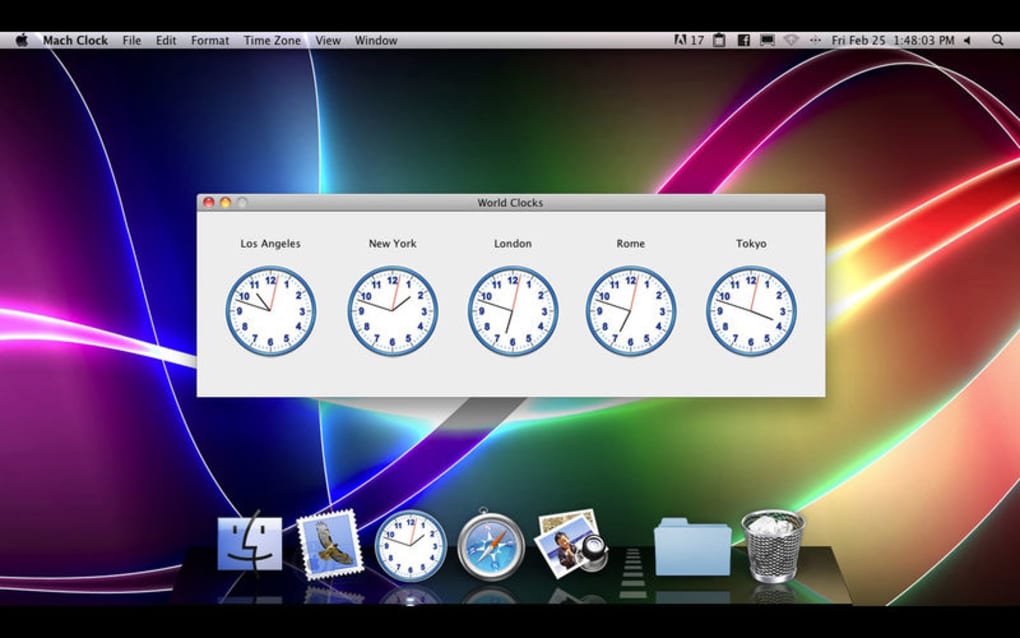
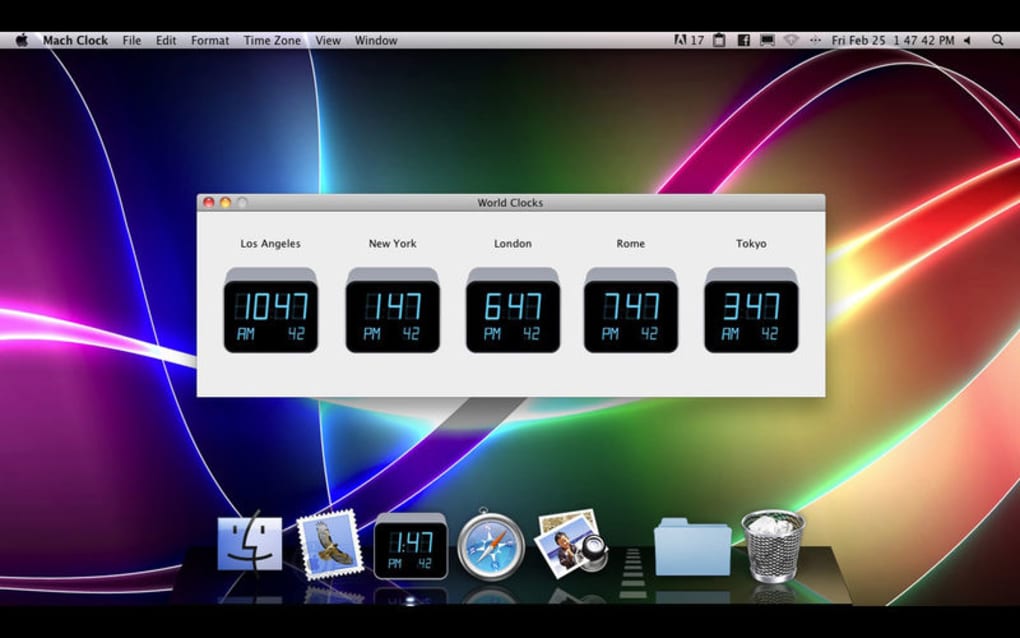
Mach Clock is a lightweight desktop utility that transforms any Windows or macOS computer into a stylish time‑keeping hub. Instead of the default system clock, Mach Clock offers eight hand‑picked clock faces ranging from classic analog to modern minimalist designs. Users can also add up to six additional city clocks, making it easy to monitor time zones across the globe—perfect for remote workers, travelers, or anyone who enjoys a quick glance at world time.
While most operating systems already include a basic clock, Mach Clock differentiates itself with its visual polish, easy‑to‑customize widgets, and a completely free, ad‑free experience. The app runs silently in the background, consuming minimal CPU and memory, and it updates automatically whenever the system time changes or daylight‑saving rules shift. Because the software is distributed as a downloadable installer, it can be placed on any laptop or PC without requiring administrative privileges, making it an attractive addition for personal or office environments alike.
Whether you need a subtle desk companion or a bold statement piece, Mach Clock delivers a balance of functionality and aesthetics that appeals to both casual users and power users who value a personalized desktop.
Key Features
- Eight Premium Clock Faces – Choose from analog, digital, minimalist, and artistic designs that can be resized and repositioned.
- World‑Time Support – Add up to six city clocks to track time in major financial, travel, or personal hubs.
- Transparent Background – The clock can sit directly on the desktop wallpaper for a seamless look.
- Drag‑and‑Drop Positioning – Move the clock anywhere on the screen with a simple mouse drag.
- Auto‑Update & Daylight‑Saving Adjustments – No manual configuration needed when clocks change.
- Low Resource Footprint – Uses less than 5 MB of RAM and negligible CPU cycles.
- Customizable Colors & Fonts – Adjust hands, numerals, and background shades to match your theme.
- Free & No Ads – Full functionality is available without a subscription or hidden advertising.
Installation, Usage & Compatibility
Installation Steps
Downloading and installing Mach Clock is straightforward. Begin by visiting the official download page and clicking the Download for Windows or Download for macOS button. The installer is a single executable (.exe for Windows, .dmg for macOS) that verifies the digital signature before proceeding.
After the file is saved, double‑click to launch the wizard. The installer guides you through a typical “Next‑Next‑Finish” flow, offering an optional desktop shortcut and the ability to start the app at system boot. Because the program is signed and sandboxed, most corporate IT policies allow it without additional permissions.
How to Use Mach Clock
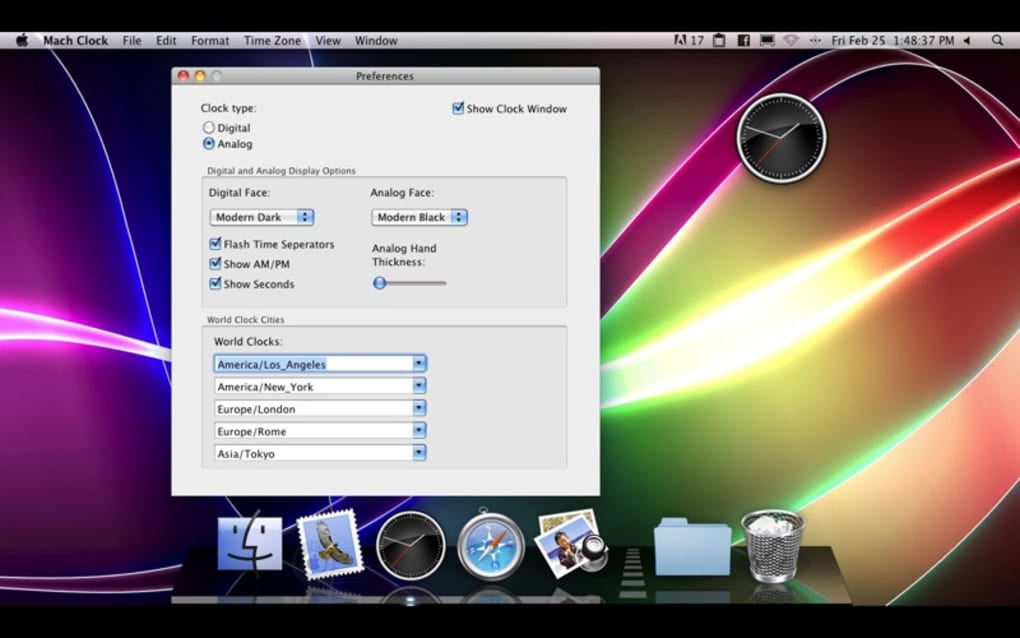
Once installed, launch Mach Clock from the Start menu or Applications folder. The default clock face appears centered on the desktop. To change the style, click the tiny gear icon in the lower‑right corner, which opens the Settings panel.
Here you can select a new face, adjust size, enable or disable the transparent background, and add city clocks by typing the city name into the “World Clock” field. All changes are saved instantly and persist across reboots. For quick access, right‑click the clock to pause updates, lock its position, or exit the program.
Compatibility
Mach Clock runs on Windows 10, Windows 11, and macOS 10.15 (Catalina) or later. The app is built with a cross‑platform framework, ensuring consistent behavior on both 64‑bit Intel and Apple Silicon Macs. While there is no native Android or iOS version, the desktop focus makes it ideal for laptops, workstations, and home PCs. System requirements are modest: a 1 GHz processor, 256 MB of RAM, and at least 50 MB of free disk space.
Pros & Cons, FAQ & Conclusion
Pros
- Visually appealing clock faces that enhance desktop aesthetics.
- World‑time capability without the need for separate apps.
- Completely free, no hidden ads or subscription fees.
- Low CPU and memory usage, suitable for older hardware.
- Simple drag‑and‑drop positioning and instant customization.
Cons
- Limited to eight built‑in faces; no marketplace for third‑party skins.
- No built‑in alarm or timer functions, which some users expect from clock apps.
- Only available for Windows and macOS; no mobile version.
- Advanced time‑zone management (e.g., automatic DST for obscure regions) can be manual.
Frequently Asked Questions
Is Mach Clock safe to download?
Yes. The installer is digitally signed, hosted on a secure HTTPS server, and regularly scanned for malware. Always download from the official website to avoid counterfeit versions.
Can I run Mach Clock on a corporate laptop with restricted admin rights?
In most cases, Mach Clock can be installed without admin privileges because it writes only to the user’s profile folder. However, some strict IT policies may block unsigned executables; consult your IT department if you encounter issues.
Does the app support automatic updates?
Yes. Mach Clock checks for updates once a week and prompts you to install the latest version. Updates are incremental and keep your settings intact.
Can I hide the clock when I’m giving a presentation?
Absolutely. Right‑click the clock and select “Hide” or use the shortcut Ctrl + H. The app remains running in the background and can be restored instantly.
Is there a way to export my clock layout?
Mach Clock stores configuration in a JSON file within your user profile. You can copy this file to another machine to replicate your exact layout.
Conclusion & Call‑to‑Action
Mach Clock strikes a pleasant balance between form and function. It won’t replace a full‑featured alarm or calendar suite, but as a decorative yet practical desktop widget, it excels. The free, ad‑free model, coupled with low system impact, makes it a safe addition for both home and office PCs. If you’re looking to personalize your workspace while keeping an eye on global time zones, give Mach Clock a try. Free download is just a click away—install it today and let your desktop tick in style.







